ChatGPT Images 2.0 makes visual generation an artifact workflow
OpenAI's ChatGPT Images 2.0 is important because it moves image generation toward text, layout, editing, and production assets rather than decorative prompting.
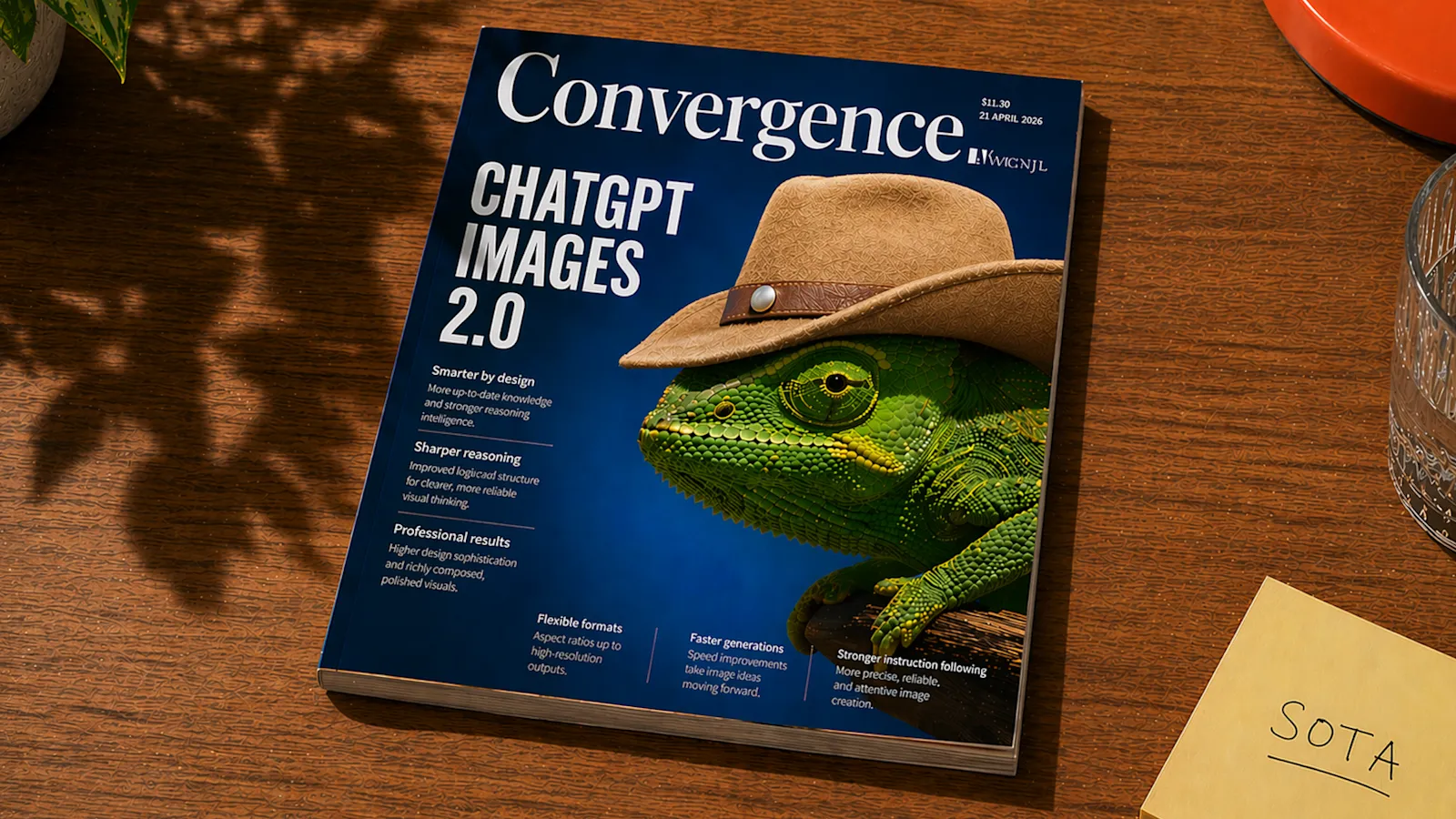
Summary
ChatGPT Images 2.0 matters because it shifts image generation from decoration toward deliverable output. OpenAI’s examples keep stressing dense readable text, multilingual typography, editorial spreads, infographics, comics, product mockups, design boards, classroom diagrams, and print-ready layouts. That is no longer the same product category as “make a pretty picture.”
What actually changed is not just higher fidelity. The model appears to start treating images as structured communication. A poster, a brochure, an infographic, a UI mockup, a comic page — each carries layout, hierarchy, labels, constraints, and the need to be revised. Once an image model handles those reliably, it pushes into the parts of design, marketing, education, documentation, and product prototyping that used to belong to people.
The community reaction tracks the same line. What excites users is the readable text, the more accurate style following, and the complex compositions that read like finished assets rather than one-off generations. What worries them is editing behavior, provenance, source attribution, and whether a polished surface hides weak design judgment. The lesson for builders: what visual AI is still missing is workflow control, not better pixels.
What happened
OpenAI introduced ChatGPT Images 2.0 on April 21, 2026. The page is mostly a large gallery of generated images rather than a long technical post. The examples include posters, multilingual typography, infographics, manga pages, hospitality campaigns, educational diagrams, fashion spreads, city scenes, bookmarks, product grids, and design-trend layouts.
The official help materials describe ChatGPT Images as able to create and edit images from prompts or uploaded images: follow instructions, add detail, add text, and produce transparent backgrounds. The release also shipped with a safety system card. Community posts highlighted better text rendering, complex layouts, image sets that stay consistent, and a think-before-drawing workflow where the model reasons through the visual before generating it.
HN discussion centered on objective tests, the reasoning claims, C2PA-style provenance, and quality checks. Reddit discussion was more about the practical jump: magazine layouts, ads, infographics, multilingual posters, and edited images that feel composed rather than like a loose single-layer generation.
Why it matters
Images 2.0 matters because text rendering rewrites the use cases outright. When image models could not render words reliably, they were mostly good for mood, illustration, and rough concept. Once they can put out readable labels, charts, menus, posters, instructional material, and interface mockups, they step into work that previously demanded a layout tool.
That does not mean designers disappear; it means the first-draft boundary moves forward. A marketer can pull together campaign directions faster. A teacher can build a visual explanation. A founder can prototype a landing-page concept. A designer can try several compositions quickly. The bottleneck moves from making any image to deciding which image actually communicates the right thing.
It also raises the bar for evaluation. Pretty is not enough. Does the text say the right thing? Is the hierarchy clear? Are the labels accurate? Are the cultural references appropriate? Can you edit one region without wrecking overall consistency? Did the system keep provenance? Those are questions about the artifact, not about taste — and the artifact questions are the harder, more valuable ones.
Technical takeaway
The core engineering conclusion is that visual generation needs structured validation. For an infographic, the system should check text accuracy, layout hierarchy, whether the data is correct, and whether it aligns with its source. For a UI mockup, it should check state coverage, spacing consistency, accessibility, and fit against the product goal. For a comic or storyboard, it should check character continuity and sequence logic. Different artifacts demand different checks, and validating them as one class is how things slip through.
Thinking before drawing is only useful when that plan can be inspected. If the model reasons through layout internally but never exposes the plan, the user is still left guessing. The safer move is to store the visual brief, the generated plan, the final image, and the revision history separately, so the whole workflow can be reviewed and corrected.
Editing stays a hard boundary. When a user says “edit this image,” they usually assume identity, geometry, and the untouched regions all survive. The moment the system regenerates more than expected, trust drops. So image products should be explicit about which edits are local, which are reinterpretations, and which can alter the subject’s identity or the composition. Collapsing all three into one “edit” button is the fastest way to burn user trust.
Builder impact
Treat image generation as a workflow tool. The product should accept a brief, references, brand constraints, copy, dimensions, target audience, and the number of variants needed. What it returns should not be only images but also the prompt, the rationale, editable layers where possible, and checks against the text and layout.
For marketing and content tools, build the review stage in. A generated ad needs checks for brand voice, whether the claims hold up, legal risk, visual accessibility, and per-platform dimensions. A generated educational graphic needs a factual check. A generated UI needs to be held against interaction requirements. Skip that stage and the prettier the output, the more likely it ships as-is.
For design products, the opportunity is not to replace Figma or Photoshop. It is to shorten the path from idea to a candidate artifact while keeping enough structure for a human to refine it. If the output is a flat bitmap with no editability, it is fine for exploration but limited in production — and editability is often the real line between an exploration tool and a production one.
Research impact
Image model evaluation needs more objective tasks. Text accuracy, multilingual rendering, counting, layout consistency, diagram correctness, and edit preservation are all more directly testable than taste. HN users are right to favor objective criteria when checking the reasoning claims; the testable things are what hold marketing to account.
Provenance research matters just as much. C2PA-style source indicators help honest platforms label generated images, but a bad actor can strip the metadata. The harder problem is ecosystem trust: how viewers, platforms, and tools decide when a missing provenance signal is itself suspicious. No single technical standard settles that.
Design quality research should be careful not to reward generic polish. A model may have learned a handful of high-status visual patterns and reapplies them on loop. What evaluation should test is whether an output fits the specific audience, content, and brand — not whether it looks premium. Looking premium and being fit for use are not the same thing.
Community signal
The community signal is strong here: users can feel image generation crossing into usable visual communication. The Reddit reactions around ads, magazine spreads, and readable text are why this release felt different. HN added the caution it needed — objective tests, provenance, and editing semantics all have to be nailed down.
That blend of excitement and skepticism is healthy. The excitement marks the newly opened product surface; the skepticism marks the production controls still missing. Hearing both keeps you from being carried off by a wall of impressive demo images.
What to ignore
Ignore claims that Images 2.0 makes design trivial. It can speed up drafts, but design still runs on taste, context, hierarchy, accessibility, and judgment — none of which sit inside this particular leap.
Ignore the wall of pretty, text-heavy graphics if you are not actually checking the text. Legible and correct are far apart, and dense text is exactly where it is easiest to forget to check.
Finally, ignore visual AI products that can neither preserve provenance nor explain their editing behavior. A production team has to be able to say what changed this version, what stayed fixed, and where the asset came from. A tool that cannot answer those three does not belong in a real production pipeline.