Codex from anywhere is about supervising agents, not coding on a phone
OpenAI's Codex mobile and remote-host update points to a new workflow: long-running coding agents need remote checkpoints, approvals, and host governance.
Summary
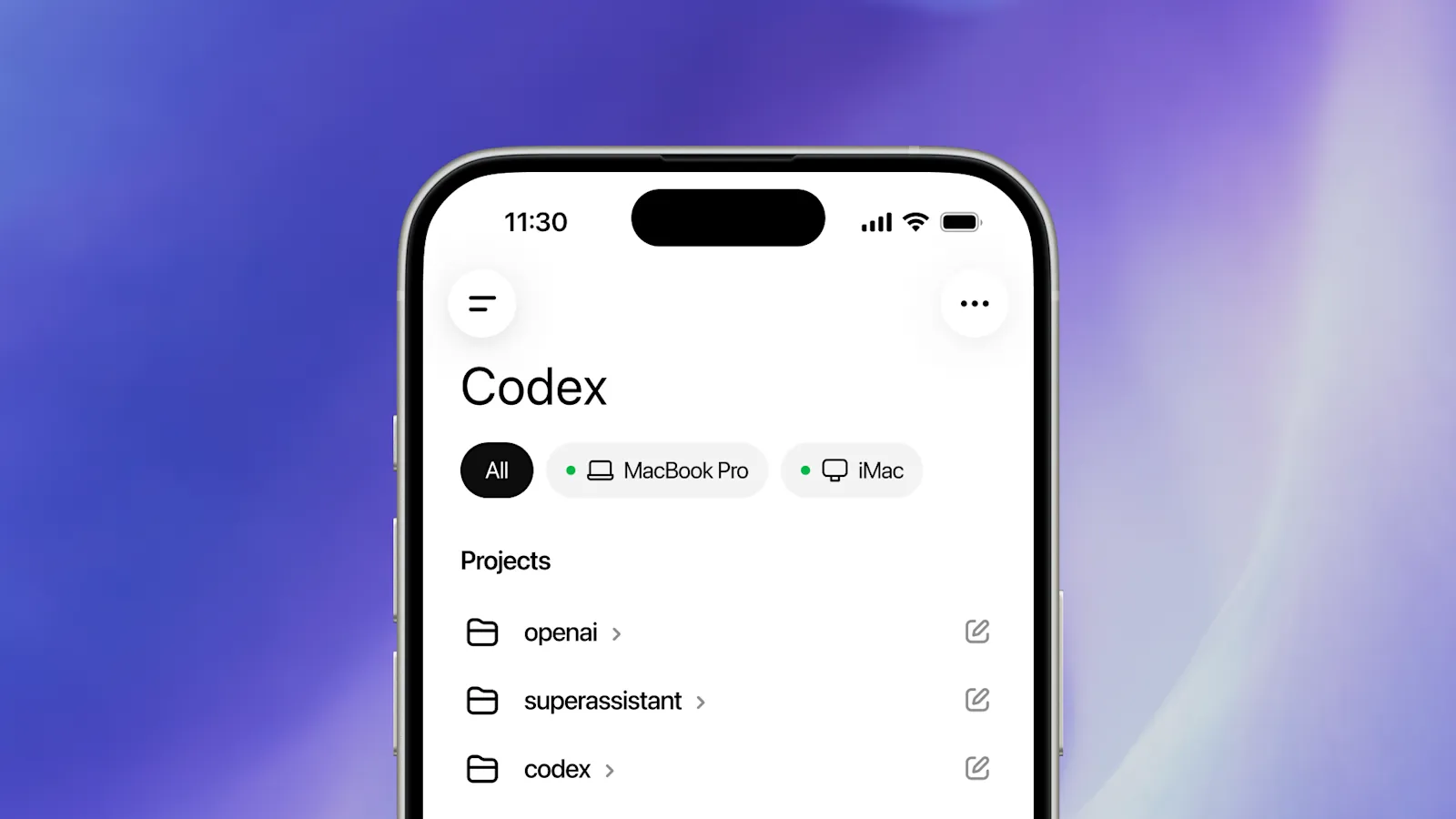
It is easy to read “Work with Codex from anywhere” as an invitation to write serious code on a phone, but that is a misread. The useful shift is remote supervision. Codex can be controlled from the ChatGPT mobile app while it runs on a connected Mac host, so the phone becomes the surface for three things (review, steering, and approval) while the real work still happens in the development environment. The phone is not a new IDE. It is a remote control.
This matters because coding agents are turning into long-running workers. The friction is no longer “can the model edit code?”, which is mostly solved. It is “can I check progress, approve the next step, block a bad direction, or drop in a quick correction without being pinned to my desk?” Mobile access only earns its place once the agent works in the background and the human steps in at checkpoints. Otherwise it is a gimmick.
The update also bundles remote connection guidance, hooks reaching general availability, access tokens, and enterprise admin setup. Those details actually matter more than the mobile UI, because they show Codex turning into a managed agent runtime: it has local context, automation surfaces, and therefore governance needs. A system that can be triggered externally, run unattended, and hold credentials is already infrastructure, not just a tool.
What happened
OpenAI announced Codex remote and mobile workflows on May 14, 2026. The core feature connects the ChatGPT mobile app to a Mac running the Codex app. Codex runs from that connected host, so the user interacting from a phone is working against the same projects, files, credentials, plugins, skills, and configuration, not a separate, isolated cloud session.
The release also includes remote connection docs, hooks moving to general availability, Codex access tokens for trusted automation, and enterprise admin setup guidance. The Reddit discussion concentrated on setup friction, the Mac-host requirement, whether SSH would work, and whether the whole thing was stable at launch. The community watched the landing details first, not the marketing.
The practical pattern is clear: start or continue a task on the machine where the code and tools live, then use the phone to review progress, answer approval prompts, redirect the task, or monitor output. It is not trying to replace the IDE. It is a control plane for a background worker. Reading it as “remote control for long-running tasks” is far more accurate than reading it as “mobile coding.”
Why it matters
It matters because coding agents are changing the shape of developer attention. Traditional tools assume the developer sits at the editor, every interaction synchronous. Long-running agents change that: the developer can delegate work, walk away, and return only when judgment is required. Remote control turns attention from a resource that must be present into one that can be scheduled asynchronously. That is a real change in how the work feels.
The most grinding moments in agentic coding are usually a stream of small interruptions rather than the big decisions: approve a command, pick between two approaches, glance at a screenshot, confirm whether a failing test matters, or tell the agent to stop overengineering. If every one requires walking back to the laptop, the agent loses momentum and the value of delegating is cancelled out. If a phone can carry enough context to handle them, the workflow gets much smoother.
The host model is just as important. Running on a connected real machine means the agent can use local files and credentials directly, without lifting the whole environment into a cloud session. That helps continuity and privacy, but the cost is a new class of host-governance problem: an always-on development machine that can be driven remotely and holds credentials is itself a security entity that needs to be managed.
Technical takeaway
The technical takeaway is that agent systems need durable sessions and remote control surfaces. The mobile client cannot be a thin chat box that forgets state. It has to show what the agent is doing right now, which files changed, what commands ran, what approvals are queued, and what risk attaches to the next step. How well that state is compressed decides whether a person can make a sound call on a small screen.
Remote hosts need clear boundaries, and these are now part of the developer tool rather than IT paperwork: which machine is connected, which projects are visible to it, which credentials the agent can use, what happens when the network drops, where logs are stored and for how long, and whether an admin can revoke access. These are not details to bolt on after deployment. A product has to answer them at design time.
Hooks and access tokens matter because they turn Codex from an interactive tool into an automation platform. Once teams can trigger workflows, customize behavior, and grant trusted non-interactive access, the product needs policy, observability, and rollback to match. The convenience of automation and the risk of automation are two faces of one coin. If you can let it run unattended, you also have to be able to pull it back when it goes off course.
Builder impact
Builders should design agent tools around checkpoints. The user needs to see a concise task state, inspect a diff, approve a command, reject an approach, and supply a correction. The phone screen is valuable only because the state has been compressed to the point where a person can decide from it; once the state turns to mush, remote approval becomes blind signing.
Do not over-optimize for phone-based editing. The phone is poor at large diffs and precise code review. What it is good at is supervision, prioritization, and approval. A sensible product routes deep work back to the IDE while keeping lightweight intervention available anywhere. Forcing the IDE experience onto a phone is effort spent in the wrong place.
For teams, remote agent control requires governance. Admins need to know which hosts are connected, who can start tasks, what tokens exist, and which hooks run automatically. Otherwise “agent from anywhere” quietly becomes “privileged automation from anywhere,” a concrete security problem. It is worth separating three classes of mobile action: view, steer, and execute. Viewing can be open by default: progress, summaries, failure reasons. Steering can be lightweight, such as pick an approach, add a constraint, request a pause. Executing should be cautious: approve a shell command, write a file, push code, use credentials. Mixing all three in one chat box makes users assume every reply carries the same risk, and a good interface should make the risk tier visible at a glance.
Research impact
Agent evaluation should include human checkpoint latency as a metric. A system that performs well only when a human is constantly watching is a different product from one that can run for hours on its own and surface a concise question at the right moment. Remote supervision makes that distinction observable and measurable for the first time. You can actually test how often the agent needs a human, and how clearly it asks.
Researchers should also study how much context a human needs to make a safe approval. A mobile prompt that just says “approve command?” is too weak to make the approval meaningful. A prompt that shows purpose, risk, affected files, and a rollback plan might let a person actually judge. Where that minimum-sufficient-context boundary sits is an experiment worth running.
There is also a security research angle around connected hosts. Agent work that spans local credentials, a mobile client, and cloud coordination needs serious threat modeling: token leakage, stale sessions, malicious hooks, confused-deputy attacks. These are not theoretical. They are the attack surface an always-on, remotely driven development machine naturally exposes.
Community signal
The Reddit reaction was practical: people wanted the feature, genuinely got stuck on setup, kept asking about Mac-only behavior, and framed the value as monitoring and steering Codex away from the desk. That is exactly the right reading. The feature has nothing to do with the spectacle of coding on a phone. What it reduces is the friction of supervising a long-running agent.
The community signal also makes one thing plain: reliability at the setup layer is critical. If you cannot even connect the host smoothly, the workflow fails at the first step no matter how strong the agent is. Capability and availability are different things, and availability is what users hit first.
Another signal is that users were already building their own versions: SSH, tmux, mobile terminals, push notifications, remote approvals. Those stitched-together workarounds are proof the demand is real. OpenAI did not invent the need by productizing it; it absorbed scattered hacks into an official workflow. For builders, that usually means a category is maturing: early users have voted with their feet that the workflow is worth having, and the platform is stepping in to standardize it.
What to ignore
Ignore the idea that mobile Codex means developers will write code on phones. The valuable thing is the remote-supervision workflow, not the implementation detail that it happens to run on a phone. Staring at “phone coding” misses the entire point of the update.
Ignore approval interfaces that do not give enough context. Letting people tap “approve” fast sounds efficient, but if the user cannot judge the risk, that speed is the danger. It demotes approval into a formality.
Finally, do not overlook host governance in remote-agent setups. The connected machines, credentials, hooks, and access tokens are all part of the security boundary. An agent that can be driven from anywhere while holding production credentials, with governance lagging behind, exposes far more value than the time it saves.